

api-key header. There are two types:
Per-user keys have limited permissions — they can only push crypto for conversion. They cannot withdraw funds or access sensitive data. Safe to store on client devices (mobile, web) or use from your backend.
Getting Per-User API Keys
This is the first step of any integration. Before you can create orders or connections for a user, you need their per-user api-key.Option 1: Via API
CallPOST /application/connect with the user’s email. Bringin handles the rest based on whether the user exists.
Request
callback is the URL where Bringin sends webhooks with the api-key. If you provide a callback, HMAC signing is required on this request.ref is your internal user ID. It’s returned in all webhooks so you can match them to your users.- User already connected
- Existing user, not connected
- New user
If the user already has an active connection to your application, the api-key is returned immediately in the response. No webhooks, no waiting.Store the
Response
apiKey and start making API calls.Receiving the key via webhook
If you provided acallback URL, Bringin sends a POST request to {callback}/verification-status when the user is ready:
apikey — this is the per-user key for all subsequent API calls for this user.
Polling for status
If you don’t use webhooks, pollGET /application/connect/status with the user’s email:
Connected response
Polling uses your master key only. No HMAC signing required.
Option 2: From the Bringin dashboard
Users can find their api-key on the Integrations tab in the Bringin dashboard or mobile app. Click on the partner integration to reveal the API key.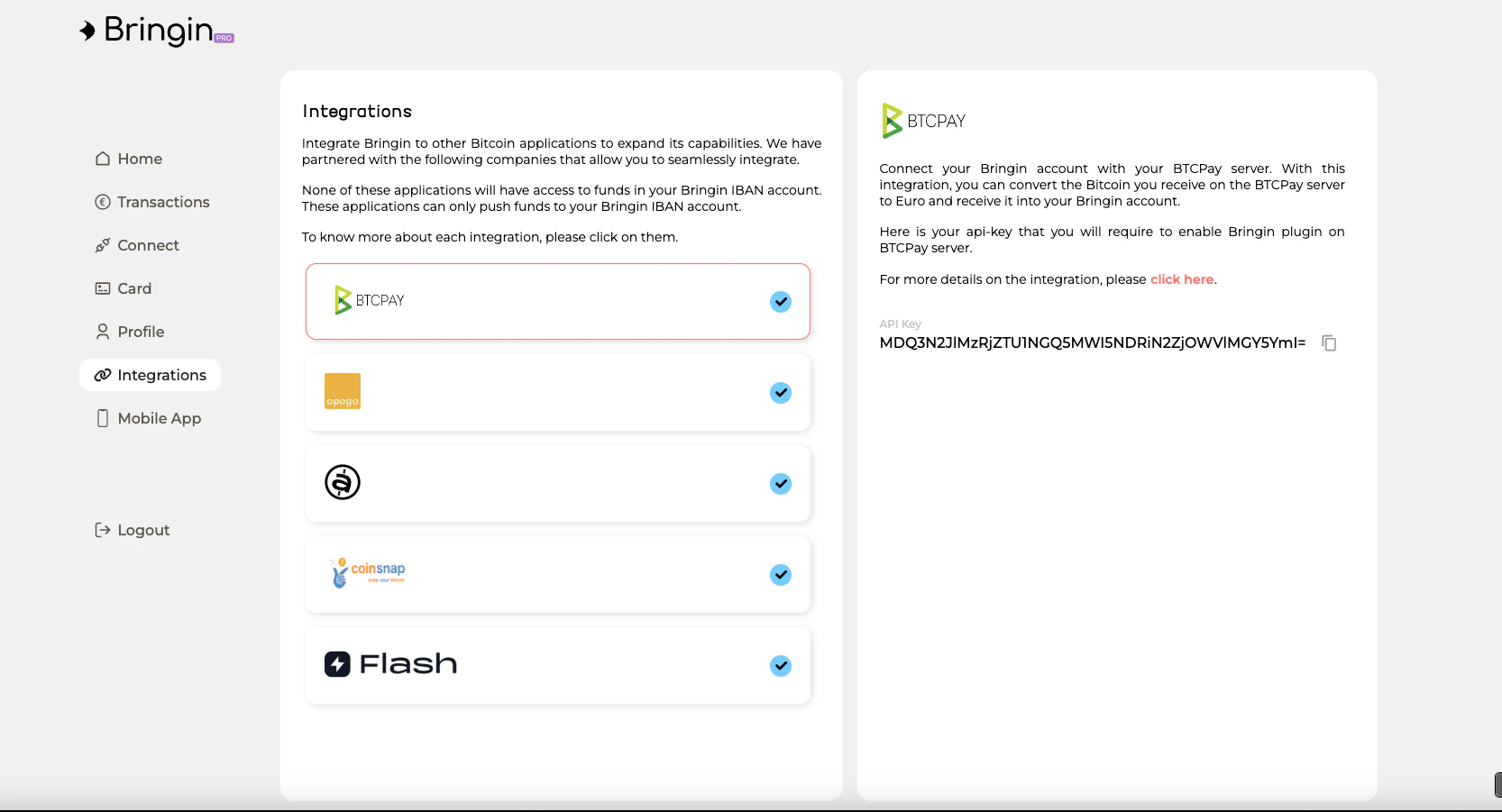
This is useful during development but not recommended for production flows.
Onboarding + Connection in One Call
You can combine user onboarding and connection creation into a single API call by passingdirection and the relevant address or bank details:
- Buy connection (EUR to BTC)
- Sell connection (BTC to EUR)
Request
/verification-status— with the per-user api-key/connection-status— with the deposit IBAN or address
Complete Flow Diagram
Managing API Keys
- One key per user per application. Each user connected to your app gets a unique per-user key.
- Keys don’t expire. Once issued, a per-user key remains valid unless revoked.
- Lost keys? Call
POST /application/connectagain with the same email — if the user is already connected, the api-key is returned immediately. - Master key rotation — Contact support@bringin.xyz if you need to rotate your master key or secret.